Attaching package: 'ISLR2'The following object is masked from 'package:MASS':
BostonIntroduction to Statistical Learning - PISE
library() loads packagesRRMASSISLR2
Attaching package: 'ISLR2'The following object is masked from 'package:MASS':
Bostonlibrary() returns an errorMASS) usually come with RISLR2) may need to be installed firstinstall.packages("ISLR2")R session with library()Boston is a dataset in ISLR2medv (median house value)rmagelstat crim zn indus chas nox rm age dis rad tax ptratio lstat medv
1 0.00632 18 2.31 0 0.538 6.575 65.2 4.0900 1 296 15.3 4.98 24.0
2 0.02731 0 7.07 0 0.469 6.421 78.9 4.9671 2 242 17.8 9.14 21.6
3 0.02729 0 7.07 0 0.469 7.185 61.1 4.9671 2 242 17.8 4.03 34.7
4 0.03237 0 2.18 0 0.458 6.998 45.8 6.0622 3 222 18.7 2.94 33.4
5 0.06905 0 2.18 0 0.458 7.147 54.2 6.0622 3 222 18.7 5.33 36.2
6 0.02985 0 2.18 0 0.458 6.430 58.7 6.0622 3 222 18.7 5.21 28.7Use ?Boston to see the dataset documentation
Fit a simple linear regression with lm()
Syntax: lm(y ~ x, data = dataset)
Here:
medvlstatR does not know where medv and lstat are storeddata = Boston, orattach(Boston)lm.fit gives basic model outputsummary(lm.fit) gives more details:
Call:
lm(formula = medv ~ lstat)

Coefficients:
(Intercept)        lstat
      34.55        -0.95
Call:
lm(formula = medv ~ lstat)

Residuals:
    Min      1Q  Median      3Q     Max
-15.168  -3.990  -1.318   2.034  24.500

Coefficients:
            Estimate Std. Error t value Pr(>|t|)
(Intercept) 34.55384    0.56263   61.41   <2e-16 ***
lstat       -0.95005    0.03873  -24.53   <2e-16 ***
---
Signif. codes:  0 '***' 0.001 '**' 0.01 '*' 0.05 '.' 0.1 ' ' 1

Residual standard error: 6.216 on 504 degrees of freedom
Multiple R-squared:  0.5441,    Adjusted R-squared:  0.5432
F-statistic: 601.6 on 1 and 504 DF, p-value: < 2.2e-16names() to see what is stored in the fitted model objectcoef() to access components safely [1] "coefficients" "residuals" "effects" "rank"
[5] "fitted.values" "assign" "qr" "df.residual"
[9] "xlevels" "call" "terms" "model" (Intercept) lstat
34.5538409 -0.9500494 confint() to compute confidence intervals for coefficientspredict() to compute:
       fit      lwr      upr
1 29.80359 29.00741 30.59978
2 25.05335 24.47413 25.63256
3 20.30310 19.73159 20.87461 fit lwr upr
1 29.80359 17.565675 42.04151
2 25.05335 12.827626 37.27907
3 20.30310 8.077742 32.52846Confidence and prediction intervals are centered at the same fitted value
Prediction intervals are wider than confidence intervals
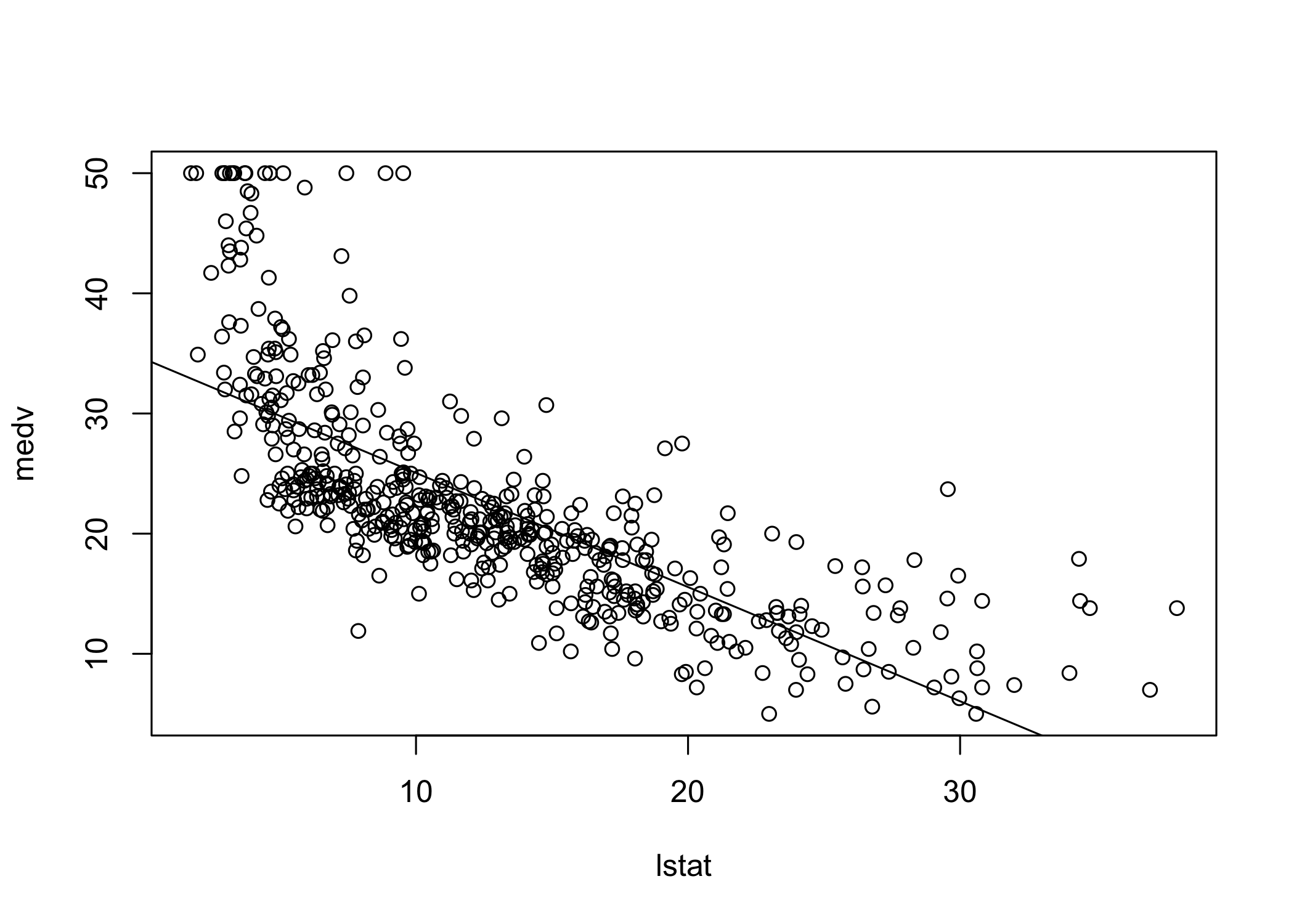
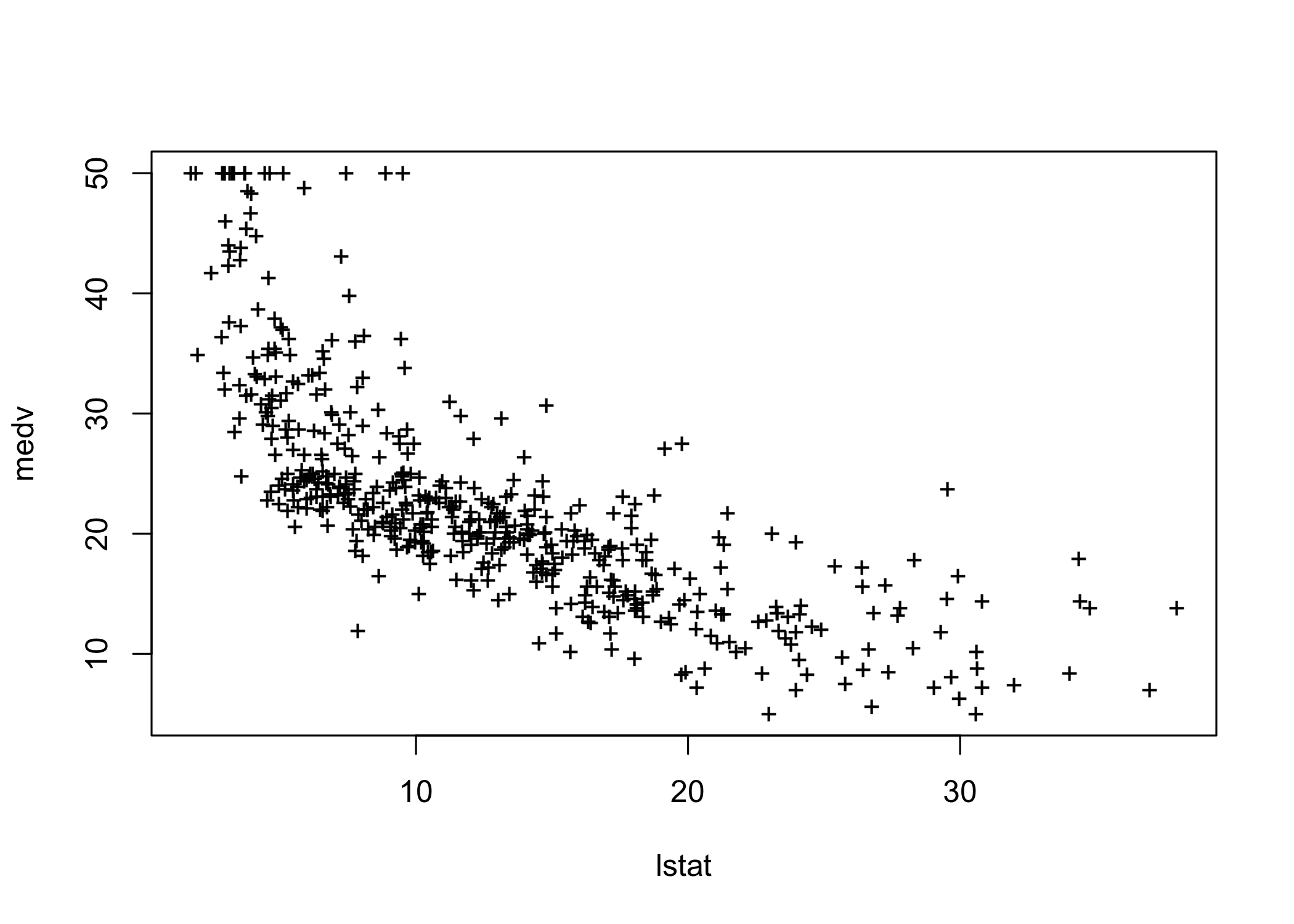
Plot the data and add the least-squares regression line
The plot suggests some possible non-linearity
We will revisit this later
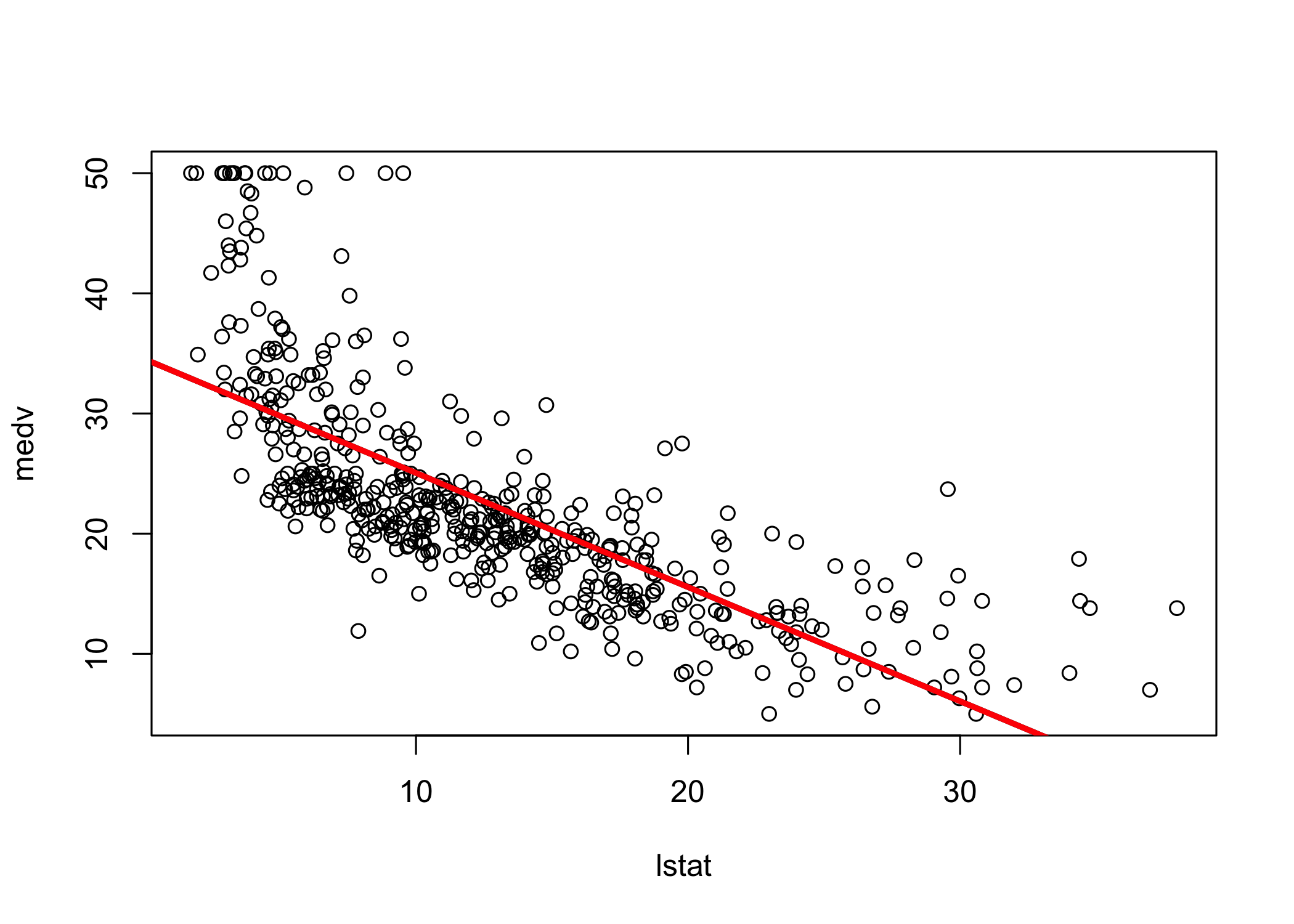
abline() can add any line to a plot
abline(a, b) draws a line with:
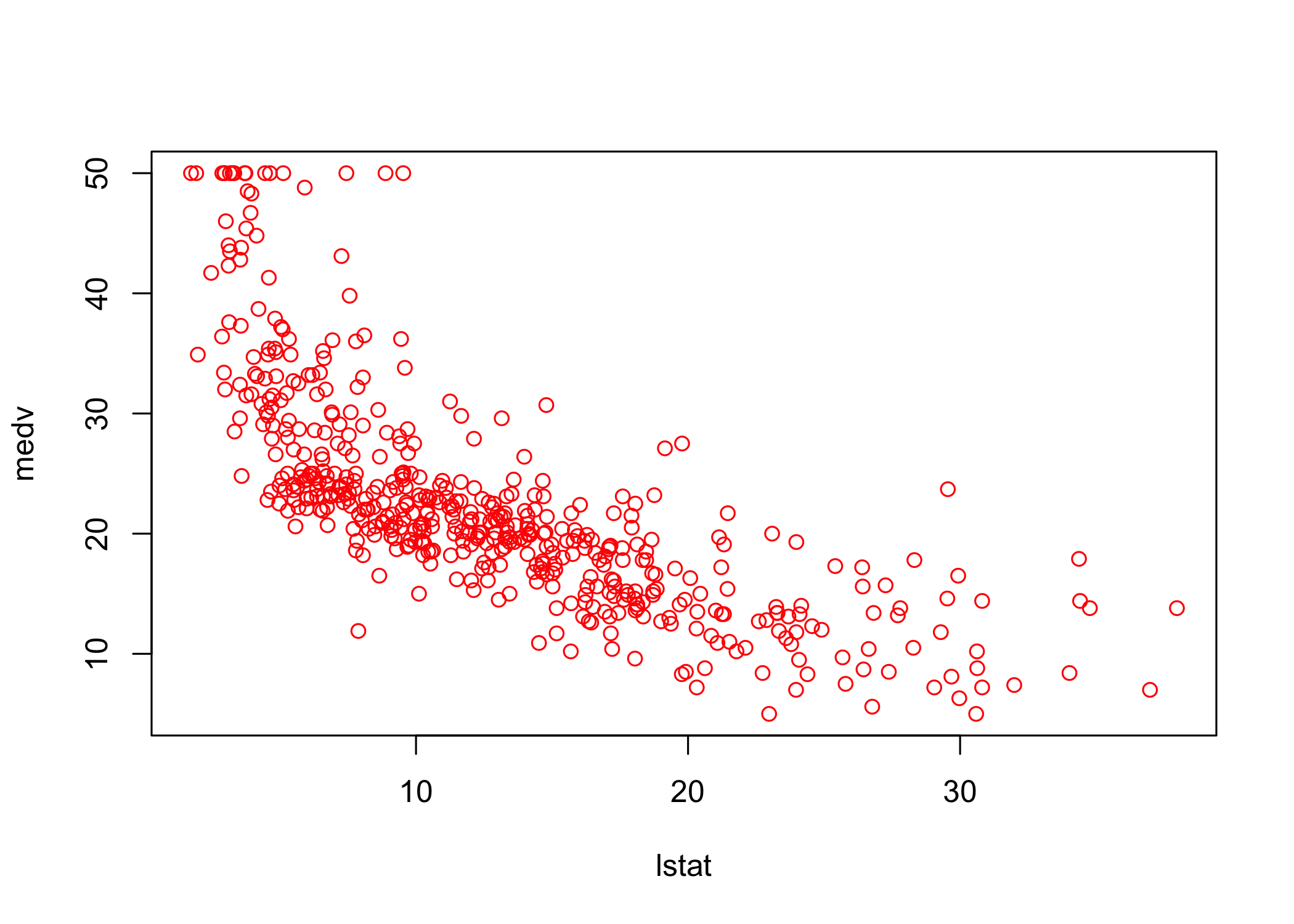
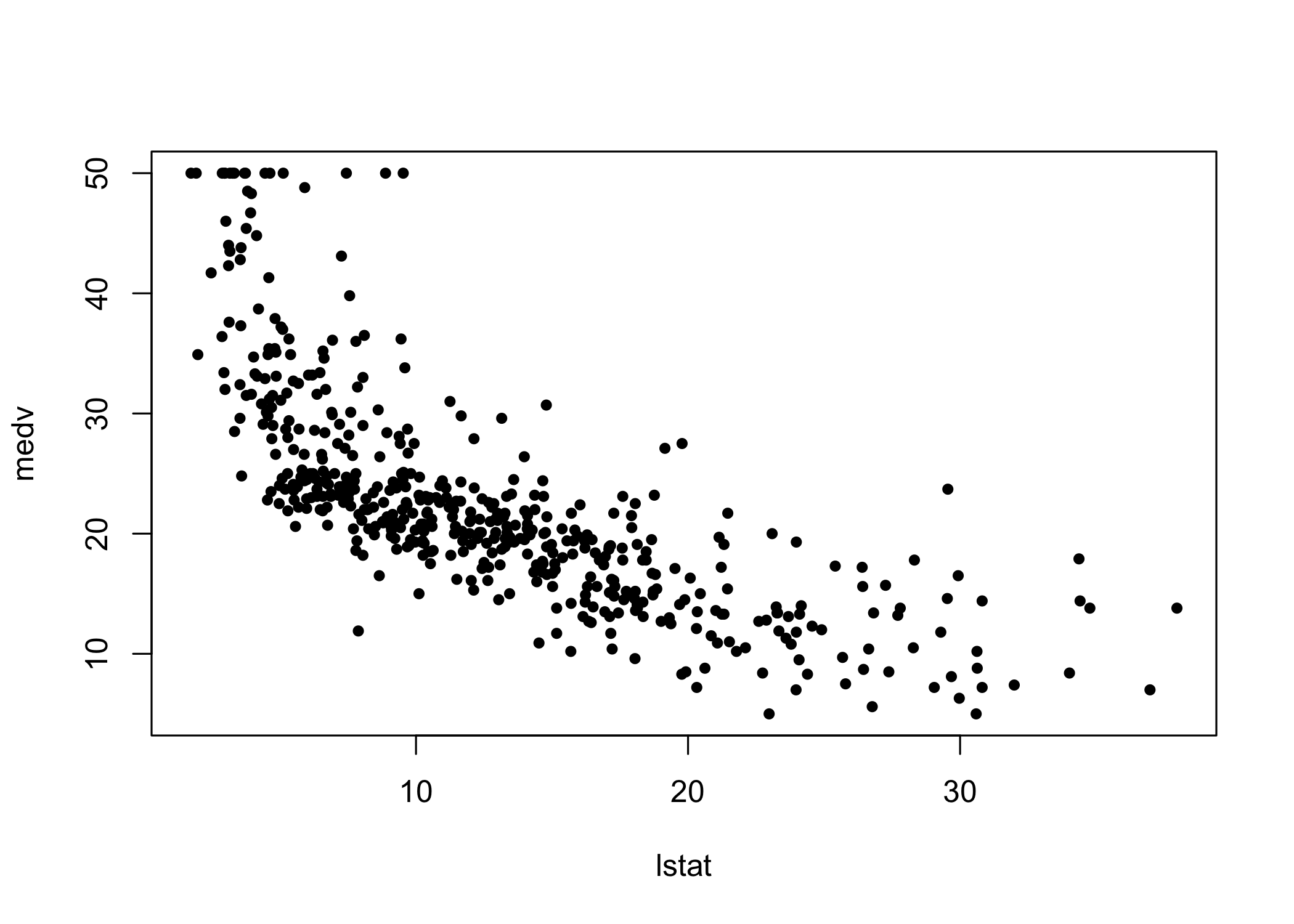
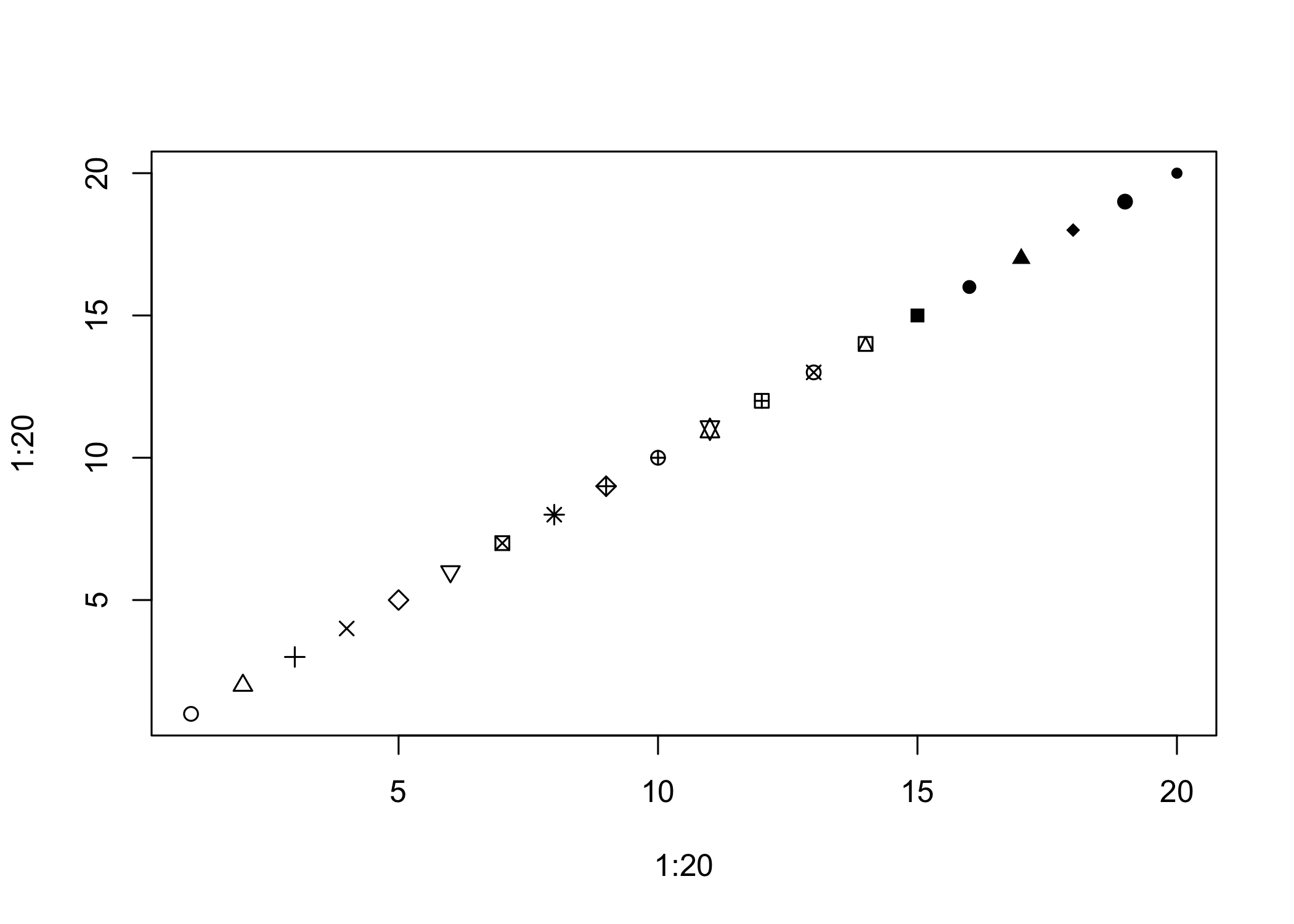
abPlot options:
lwd controls line widthcol controls colorpch controls plotting symbollm() can include transformed predictorsI() when arithmetic operators would otherwise be interpreted specially in a formulaI(lstat^2) adds a quadratic term
Call:
lm(formula = medv ~ lstat + I(lstat^2), data = Boston)

Residuals:
     Min       1Q   Median       3Q      Max
-15.2834  -3.8313  -0.5295   2.3095  25.4148

Coefficients:
             Estimate Std. Error t value Pr(>|t|)
(Intercept) 42.862007   0.872084   49.15   <2e-16 ***
lstat       -2.332821   0.123803  -18.84   <2e-16 ***
I(lstat^2)   0.043547   0.003745   11.63   <2e-16 ***
---
Signif. codes:  0 '***' 0.001 '**' 0.01 '*' 0.05 '.' 0.1 ' ' 1

Residual standard error: 5.524 on 503 degrees of freedom
Multiple R-squared:  0.6407,    Adjusted R-squared:  0.6393
F-statistic: 448.5 on 2 and 503 DF, p-value: < 2.2e-16anova()Analysis of Variance Table
Model 1: medv ~ lstat
Model 2: medv ~ lstat + I(lstat^2)
Res.Df RSS Df Sum of Sq F Pr(>F)
1 504 19472
2 503 15347 1 4125.1 135.2 < 2.2e-16 ***
---
Signif. codes: 0 '***' 0.001 '**' 0.01 '*' 0.05 '.' 0.1 ' ' 1Model 1: linear fit with lstat
Model 2: quadratic fit with lstat and lstat^2
anova() tests whether the larger model improves fit significantly
Very small p-value indicates strong evidence in favor of the quadratic model
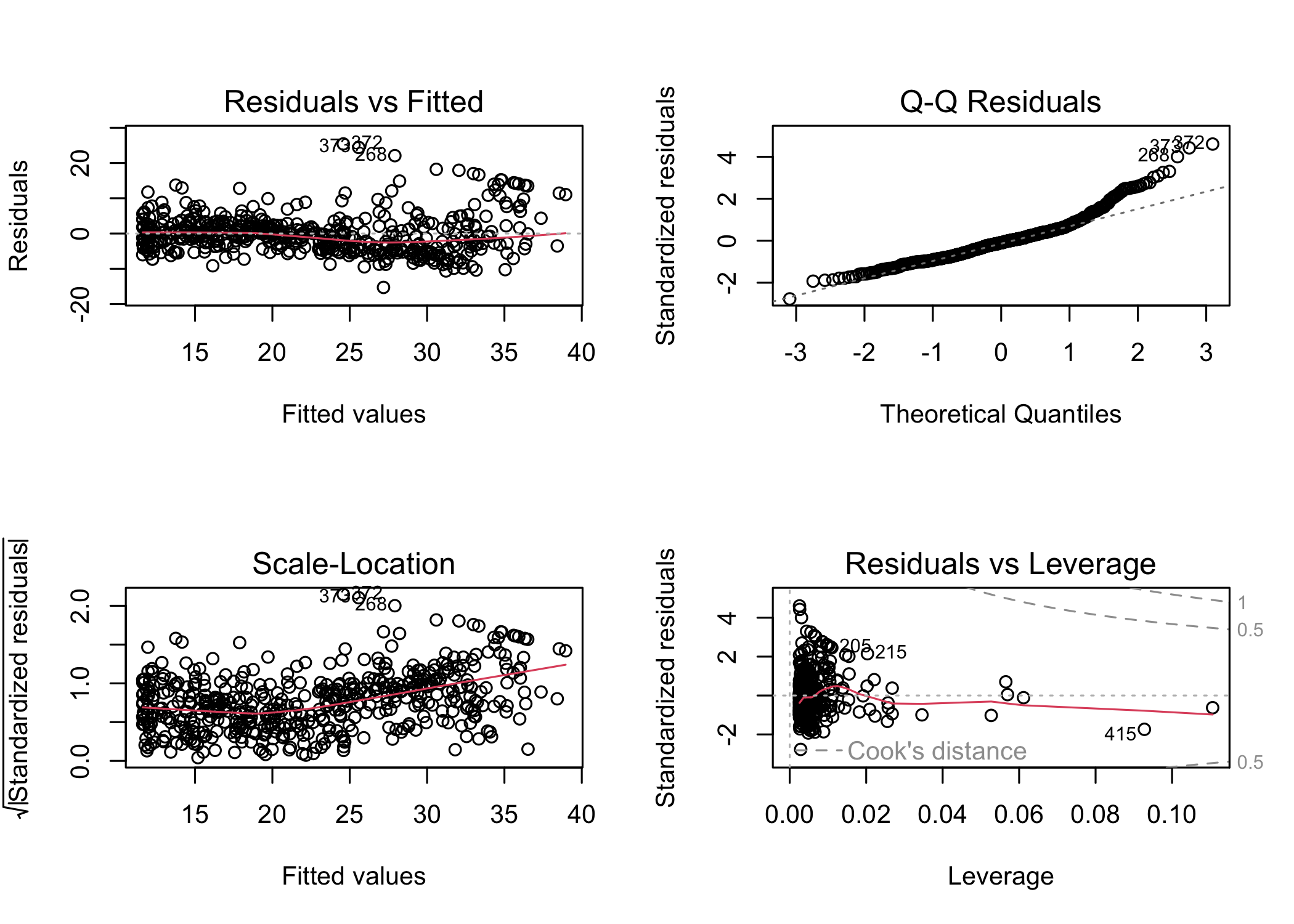
Check the residual diagnostics for the quadratic model
With the quadratic term included, residual patterns are reduced
For higher-order polynomials, poly() is more convenient than writing each power manually
Example: fifth-order polynomial fit
Call:
lm(formula = medv ~ poly(lstat, 5), data = Boston)

Residuals:
     Min       1Q   Median       3Q      Max
-13.5433  -3.1039  -0.7052   2.0844  27.1153

Coefficients:
                 Estimate Std. Error t value Pr(>|t|)
(Intercept)       22.5328     0.2318  97.197  < 2e-16 ***
poly(lstat, 5)1 -152.4595     5.2148 -29.236  < 2e-16 ***
poly(lstat, 5)2   64.2272     5.2148  12.316  < 2e-16 ***
poly(lstat, 5)3  -27.0511     5.2148  -5.187 3.10e-07 ***
poly(lstat, 5)4   25.4517     5.2148   4.881 1.42e-06 ***
poly(lstat, 5)5  -19.2524     5.2148  -3.692 0.000247 ***
---
Signif. codes:  0 '***' 0.001 '**' 0.01 '*' 0.05 '.' 0.1 ' ' 1

Residual standard error: 5.215 on 500 degrees of freedom
Multiple R-squared:  0.6817,    Adjusted R-squared:  0.6785
F-statistic: 214.2 on 5 and 500 DF,  p-value: < 2.2e-16
Higher-order polynomial terms can improve fit
In this example, terms beyond fifth order are not significant
By default, poly() uses orthogonal polynomials
These are not the raw powers of the predictor
Fitted values are the same as with raw polynomials, but coefficients differ
Use raw = TRUE if raw powers are desired
We are not restricted to polynomial transformations
Example: log transformation
Call:
lm(formula = medv ~ log(rm), data = Boston)

Residuals:
    Min      1Q  Median      3Q     Max
-19.487  -2.875  -0.104   2.837  39.816

Coefficients:
            Estimate Std. Error t value Pr(>|t|)
(Intercept)  -76.488      5.028  -15.21   <2e-16 ***
log(rm)       54.055      2.739   19.73   <2e-16 ***
---
Signif. codes:  0 '***' 0.001 '**' 0.01 '*' 0.05 '.' 0.1 ' ' 1

Residual standard error: 6.915 on 504 degrees of freedom
Multiple R-squared:  0.4358,    Adjusted R-squared:  0.4347
F-statistic: 389.3 on 1 and 504 DF, p-value: < 2.2e-16Auto data settrain contains the indices of the training observationssubset = trainpredict() to compute fitted values for all observations-train selects the validation observationspoly() to fit polynomial regressionslm.fit2 <- lm(mpg ~ poly(horsepower, 2), data = Auto,
subset = train)
mean((mpg - predict(lm.fit2, Auto))[-train]^2)[1] 18.71646lm.fit3 <- lm(mpg ~ poly(horsepower, 3), data = Auto,
subset = train)
mean((mpg - predict(lm.fit3, Auto))[-train]^2)[1] 18.79401set.seed(2)
train <- sample(392, 196)
lm.fit <- lm(mpg ~ horsepower, subset = train)
mean((mpg - predict(lm.fit, Auto))[-train]^2)[1] 25.72651lm.fit2 <- lm(mpg ~ poly(horsepower, 2), data = Auto,
subset = train)
mean((mpg - predict(lm.fit2, Auto))[-train]^2)[1] 20.43036lm.fit3 <- lm(mpg ~ poly(horsepower, 3), data = Auto,
subset = train)
mean((mpg - predict(lm.fit3, Auto))[-train]^2)[1] 20.38533cv.glm()cv.glm() works with models fit using glm()family argument, glm() performs linear regressionglm() and lm() give the same fit here(Intercept) horsepower
39.9358610 -0.1578447 (Intercept) horsepower
39.9358610 -0.1578447 glm() because it works with cv.glm()cv.glm() is in the boot packagelibrary(boot)
glm.fit <- glm(mpg ~ horsepower, data = Auto)
cv.err <- cv.glm(Auto, glm.fit)
cv.err$delta[1] 24.23151 24.23114cv.glm() returns a list
delta contains the cross-validation estimates
For LOOCV, the two values are essentially the same
Compute LOOCV error for polynomial models of degree 1 to 10
Store the results in a vector
cv.error <- rep(0, 10)
for (i in 1:10) {
  glm.fit <- glm(mpg ~ poly(horsepower, i), data = Auto)
  cv.error[i] <- cv.glm(Auto, glm.fit)$delta[1]
}
cv.error
[1] 24.23151 19.24821 19.33498 19.42443 19.03321 18.97864 18.83305 18.96115
[9] 19.06863 19.49093cv.glm() can also perform k-fold CVset.seed(17)
cv.error.10 <- rep(0, 10)
for (i in 1:10) {
glm.fit <- glm(mpg ~ poly(horsepower, i), data = Auto)
cv.error.10[i] <- cv.glm(Auto, glm.fit, K = 10)$delta[1]
}
cv.error.10 [1] 24.27207 19.26909 19.34805 19.29496 19.03198 18.89781 19.12061 19.14666
[9] 18.87013 20.95520delta are almost identical